


|
Name |
Simply Draw |
|---|---|
|
Google Play Link |
GET IT ON
Google Play
|
|
Category |
Education |
|
Developer |
Simply Ltd |
| Last version | 1.18.0 |
|
Updated |
|
|
Compatible with |
Android 11+ |
Introduction to Simply Draw APK
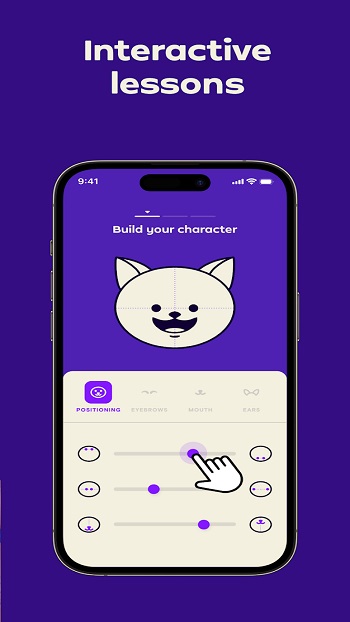
Simply Draw is a mobile learning app designed for Android users who want to practice drawing in a structured and practical way. It focuses on building real skills using traditional tools like paper and pencil, while your phone acts as a guide and feedback assistant. Instead of turning your screen into a canvas, the app encourages hands-on practice that feels closer to a real art class.
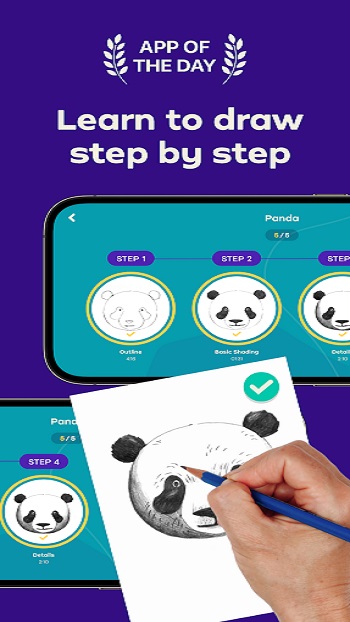
The main goal of the app is to help beginners learn how to draw step by step. Lessons start with basic shapes and simple sketches, then slowly move toward more detailed subjects like animals, characters, and everyday objects. Each lesson is presented through short video tutorials that break down the process into clear and manageable steps, so it never feels confusing or rushed.
A standout feature is its AI feedback system. After finishing a drawing on paper, you take a photo, and the app analyzes it. It checks proportions, shapes, and placement, then gives suggestions for improvement. This creates a guided learning loop where you practice, review, and adjust your work with clear direction instead of guessing what went wrong.
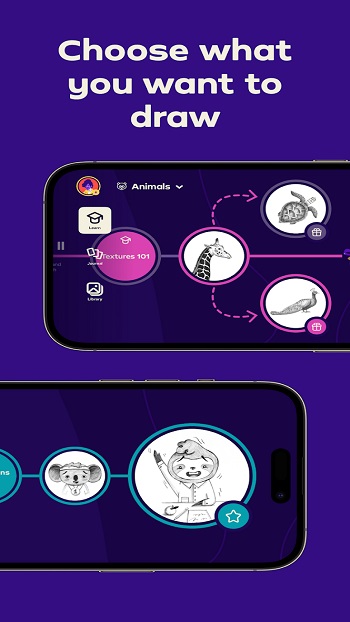
Another useful aspect is the personalized learning path. When starting out, you choose topics that interest you, and the app organizes lessons accordingly. This keeps things focused and avoids overwhelming you with too many options. It also makes practice feel more relevant, since you’re drawing subjects you actually like.
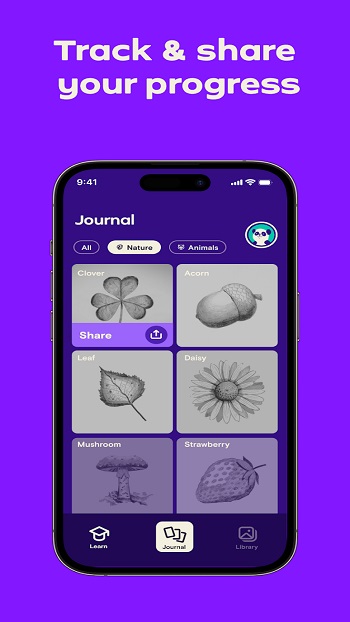
The app supports multiple user profiles, which works well for families or shared devices. Each user can track their own progress, completed lessons, and improvement over time. Regular content updates also add new lessons, so there’s always something fresh to try without repeating the same exercises.
There are a few limitations to keep in mind. Since the system relies on camera analysis, feedback may not always be perfect, especially in poor lighting. It also requires consistent effort with physical drawing, which might not suit users looking for quick digital sketching tools. Still, for beginners who want a guided and practical way to learn drawing, this app fits well into daily practice routines.
FAQs Simply Draw
What is Simply Draw?
+
Simply Draw is a mobile app that teaches drawing through step-by-step lessons and AI feedback using real paper and pencil.
How does Simply Draw help beginners?
+
It starts with simple shapes, provides guided tutorials, and gives feedback on your drawings to help improve gradually.
Do I need to draw on the phone screen?
+
No, you draw on real paper, then take a photo so the app can review your work.
Is Simply Draw suitable for kids?
+
Yes, it supports multiple profiles and simple lessons, making it useful for both kids and adults.
Does Simply Draw work without internet?
+
Some features may require an internet connection, especially for tutorials and AI feedback processing.
Discover More Interesting Apps
-

Language Game
v8.3.7
146.76 Mb
Updated -
Mod
HelloTalk
v6.4.30
200.44 Mb
Updated -
Mod
Memrise
v2026.10.19.0
18.25 Mb
Updated -
Seesaw
v10.148.0
48.17 Mb
Updated -
Mod
Duolingo
v6.102.3
180.82 Mb
Updated -
Mod
Physics Wallah
v15.59.06
234.00 Mb
Updated -
Mod
PW
v15.59.06
234.00 Mb
Updated -
Mod
Chorcha
v3.0.120
95.88 Mb
Updated -
Celestia
v26.10.0
504.68 Mb
Updated -
Mod
MagellanTV
vtv.3.5.0
29.77 Mb
Updated










Share Your Thoughts